Gain Control of Your Supply Chain with Command Center

Portcast’s Command Center gives your team a live view of shipments and the risks that could disrupt them, helping you focus on what matters and act before issues arise or escalate.

Try it now
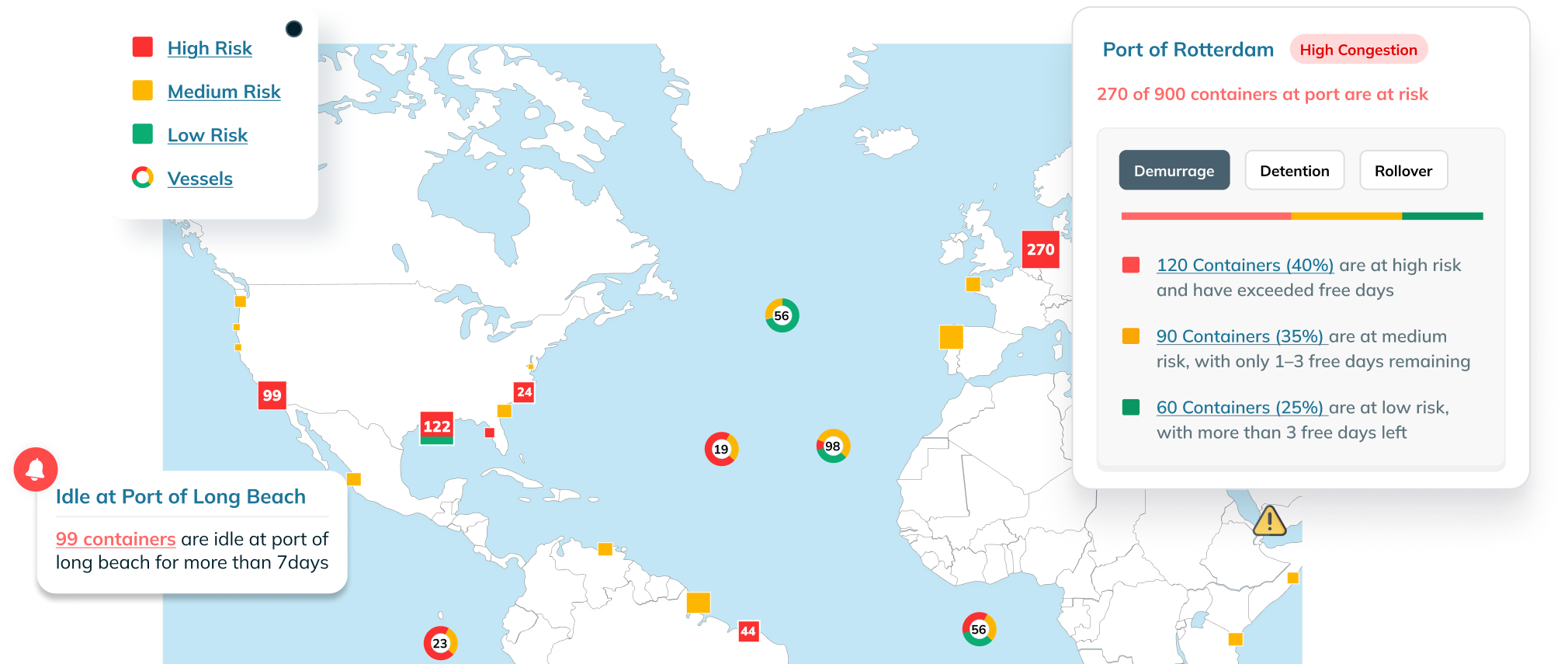
Interface of Portcast Supply Chain Visibility Solution with two images of cyclone and a vessel in a port

Benefits of Portcast’s Command Center Solution

Focus on What Matters

Quickly identify shipments that need attention. Focus on exceptions, not chasing updates.

Prevent Costly Delays

Spot risks early like rollovers, congestion, or idle time so you can act before they drive up costs.

Built Around Your Workflow

Access the feature on the platform to view your tracked shipments and their current risk status.

Key Features of Portcast’s Command Center Solution

Live, Exception-First Dashboard

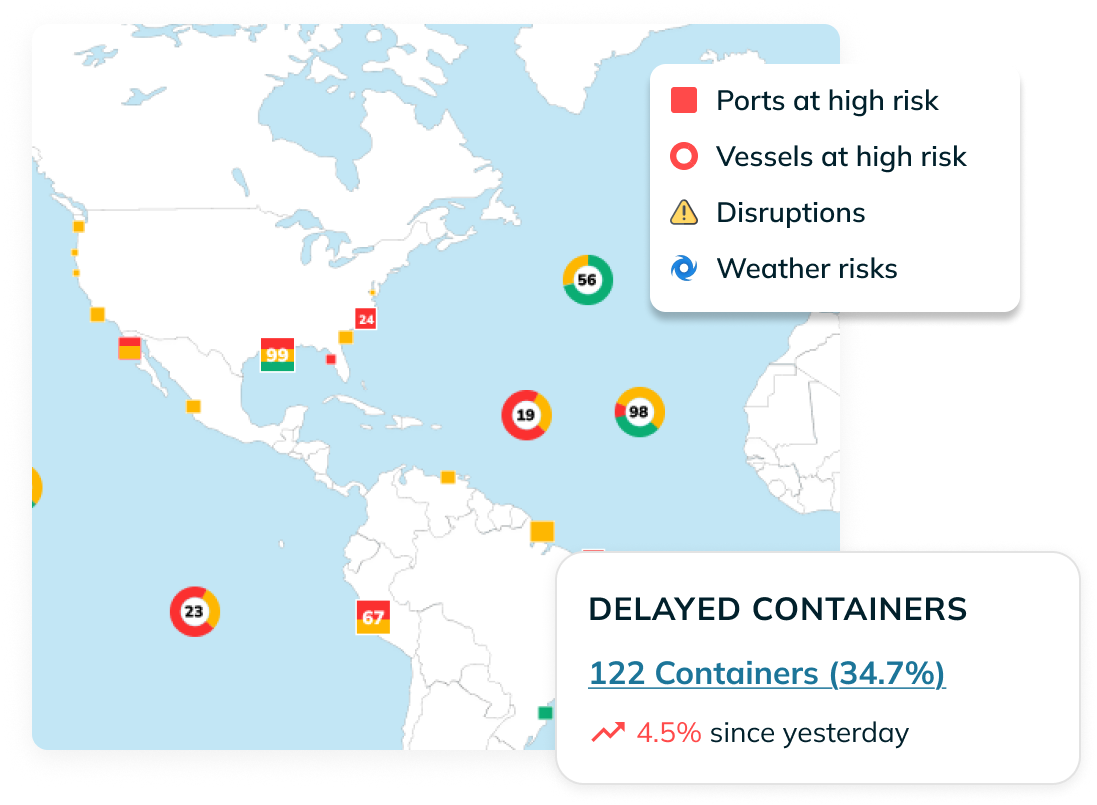
Get an instant view of shipments that need attention and the risks that could disrupt them.
Interactive map view displays containers by vessel or port
Color-coded risk cards show high, medium, and low risks
Click on any location to drill down to impacted containers

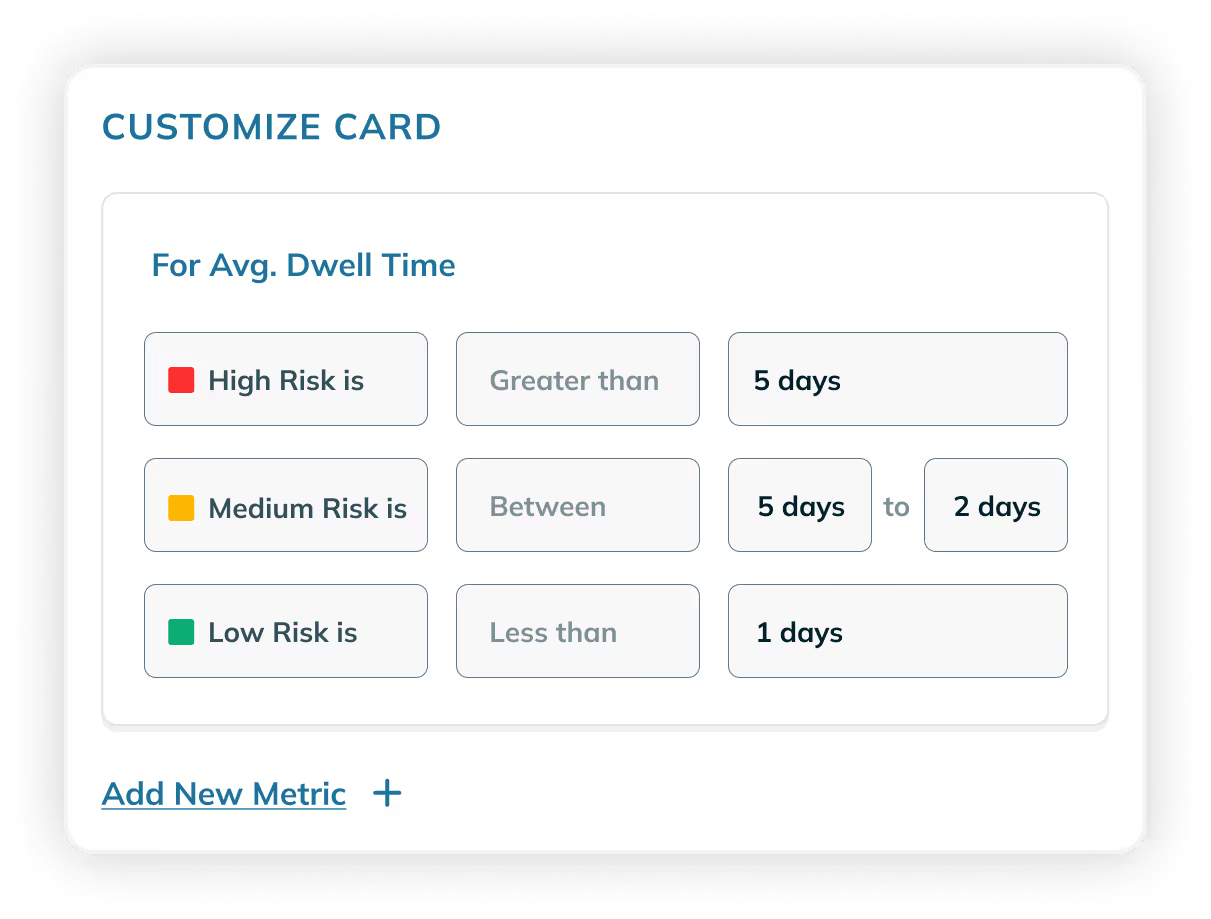
Customizable Risk Definition

Set your own rules for what counts as a risk so the dashboard reflects your priorities.
Start with default cards for common risks like congestion or rollover
Set custom thresholds for low, medium, and high risk
Fine-tune risk rules to match your specific needs

Alerts and Actionability

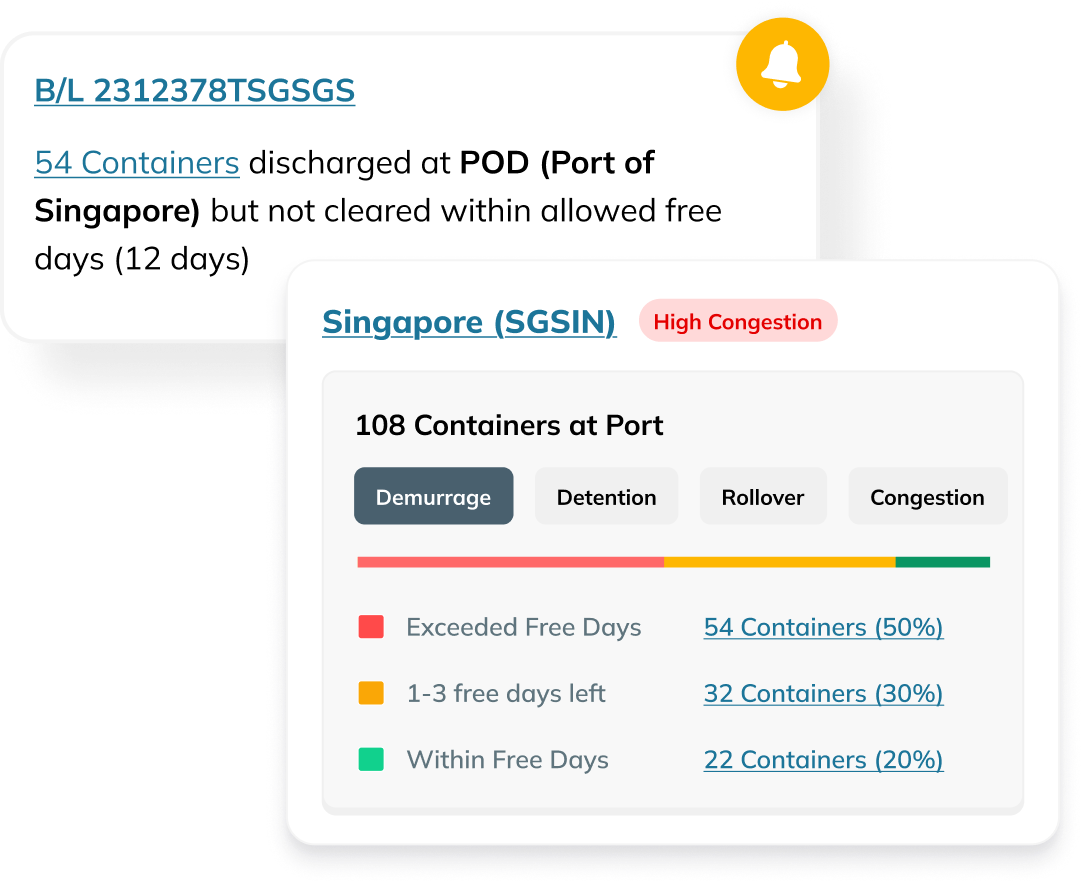
Act fast on new risks with alerts that lead you straight to affected shipments.
Smart alerts (coming soon) for conditions like idle over seven days
Jump directly to container details for quick investigation
Address recurring issues by delay reason, trade lane, or carrier

Let’s talk!

We are here to help you make your supply chains efficient, enabled by reliable data.

We can help you to:
Checkmark
Get visibility over your shipments
Checkmark
Plan trade routes based on congestion level
Checkmark
Automate terminal data checks
Checkmark
Monitor critical ocean supply chain incidents
Book a Meeting
OR
Please enter business email address (free email accounts are not allowed)
By submitting you agree to receive emails from Portcast. Unsubscribe anytime.
Fields with * are required
Thank you! Your submission has been received!
Oops! Something went wrong while submitting the form.
Close
Ship

How it works

Step 1

Access Command Center

Access the feature on the platform to view your tracked shipments and their current risk status.
Upload or Connect
Step 2

Set Up Your Dashboard

Define your risk cards and thresholds, and Command Center automatically updates and prioritises live containers.
Automate Auditing With AI
Step 3

Monitor and Act

Act on alerts as they come in, jump straight to affected containers, and take action quickly.
Review and Resolve

Command Center: Frequently Asked Questions

Any other question that isn’t mentioned? Don't hesitate to get in touch.

How does the Command Center improve supply chain reliability?

The Command Center detects live risks such as shipment delays, rollovers, idle transshipments, and port congestion. By surfacing these early, it enables operations teams to act before disruptions escalate, reducing costs, delays, and firefighting.

Can I customize what counts as a risk?

Yes. Each team can define what “risk” means for their operations. You can set thresholds for delay days, idle transshipment time, or congestion levels, and create color-coded risk cards that match your priorities.

What data powers the Command Center?

The Command Center uses your live container tracking data from Portcast’s predictive visibility platform. It automatically refreshes to show the latest shipment movements, risk updates, and exception insights.

Which teams can use the Command Center?

The Command Center is designed for operations and logistics teams involved in daily shipment execution. It highlights priority shipments, surfaces risks early, and gives the context needed to act quickly, making it valuable for teams managing exceptions across in-transit containers.

How is Portcast’s Command Center different from other shipment visibility tools?

Most visibility tools only show where containers are. Portcast’s Command Center goes further by highlighting which shipments need attention and why. It focuses on live, in-transit containers, lets users define what risk means for their operations, and enables quick action when issues arise.