
SeaRates has shut down its tracking services, so teams that relied on SeaRates container tracking need an alternative that gets every shipment visible again. This guide answers the questions freight forwarders, NVOCCs and BCOs ask when they move to a new tracking provider: what to do first, what to look for, how an API switch works, how long it takes and what a good alternative gives you beyond a data feed.
What should you do now that SeaRates container tracking has shut down?
List where your SeaRates data went, choose a replacement that covers your carriers and connects to those systems, and get it live quickly with any historical shipment data you hold. Containers already on the water still need tracking, so speed matters.
Start with three lists.
- The first covers the carriers and trade lanes you track.
- The second covers every place SeaRates data landed, such as operator screens, customer portals, internal reports, CargoWise, a TMS or an ERP.
- The third covers the people who depend on it, including operators, customer service and finance. Together they define what a replacement must cover and connect to, and they give you a checklist to test once it is live.
What should you look for in a SeaRates alternative?
Look for coverage of your carriers, more than one data source behind each carrier, a way to connect to your systems, terminal milestones and a team that handles the migration. A replacement that only copies the old feed leaves you with the same blind spots.
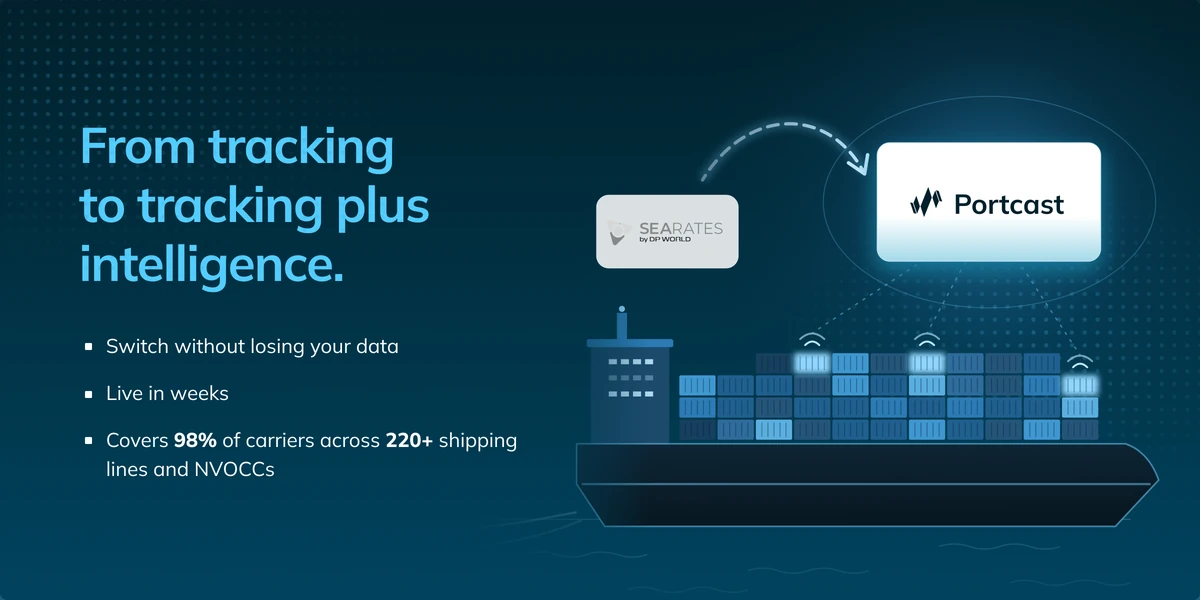
- Carrier coverage. Send your carrier mix and ask for a coverage check that includes NVOCCs. Portcast covers 98% of carriers across 220+ shipping lines and NVOCCs, and confirms any gaps before you commit.
- Data sources. Portcast connects directly to carriers, terminals, vessels and sailing schedules, with more than one source for each carrier. Shipments stay visible even when a single carrier does not provide data.
- Integration. Data should flow into the tools your team already uses through an API or webhooks, with your existing fields and events mapped.
- Terminal milestones. Key import and export events such as Early Receipt Date, Last Free Day, pickup availability and holds show what happens after the vessel arrives.
- Migration support. Ask who runs the rollout, whether historical shipment data comes across and how your operators get trained.
Is there a SeaRates API alternative?
Yes. Portcast delivers container and terminal data through REST APIs and webhooks, and pushes it into CargoWise, your TMS, your ERP or a customer portal. If your systems pulled tracking data from SeaRates through an API, the Portcast team maps the fields and events your systems use today, so data lands where your team already works.
All data is also available in the Portcast interface. Portcast can integrate historical shipment data, so reports keep their continuity after the switch. For forwarders and NVOCCs whose customers see tracking in a portal or a white-labelled platform, the same API feeds that view.
How long does it take to switch from SeaRates tracking?
Most teams move over within weeks, and most Portcast integrations are completed in less than 2-4 weeks in most cases. The exact timeline depends on your carrier mix and where your data has to live.
A leading global freight forwarder switched to Portcast from an existing tracking provider. A dedicated project team ran the rollout, historical shipment data was integrated from day one, and weekly check-ins with hands-on training brought the operations team up to speed. The full switch went live in two weeks: one week of technical integration and one week of testing. The forwarder gained coverage across 220+ carriers at 98% coverage, plus AIS and terminal-level visibility. Command Center and risk dashboards surfaced critical delays that were slipping through before, and the team stopped cross-checking carrier portals to fill visibility gaps.
The switch follows three steps:
- A short call to understand your carrier mix, your trade lanes and the systems you use.
- Tech alignment, where the team agrees on the setup through the interface or the API, and plans historical data and connections to CargoWise, your TMS, ERP or portal.
- Integration and go-live, guided by the Portcast tech team, with the Customer Success team supporting you throughout.
Read more about moving over on the SeaRates alternative page.
How is Portcast different from a tracking feed?
A feed tells you where a container is. Portcast adds risk intelligence to real-time tracking, so your team sees which shipments need action today and why. That work happens in Command Center.
Command Center is a live, exception-first dashboard. Risk cards surface the shipments that need attention, and an interactive map lets operators drill from a port or a vessel down to the affected containers. You set thresholds for delays, transshipment idle time and congestion, and new risks link directly to the shipments they affect. Operators focus on the exceptions that matter.
Terminal data adds import and export milestones such as Early Receipt Date, Last Free Day, pickup availability and holds. Proactive D&D alerts help your team plan pickups before free time runs out and avoid unnecessary charges.
Where do Darya, Reef and Marina fit?
They are Portcast's AI agents. They work on top of the same live data and draft recommendations that your team reviews and approves.
- Darya, the Daily AI Agent, ranks every shipment overnight and gives each operator a daily brief of what needs action.
- Reef, the Routing AI Agent, ranks live sailings on your priorities at the booking.
- Marina, the Market Reliability AI Agent, benchmarks carriers and bookable services on your lanes before you book.
Your team stays in control, because the agents recommend and your people approve.
What should forwarders, NVOCCs and BCOs focus on first?
Forwarders and NVOCCs should restore customer-facing tracking first, then add exceptions so they update customers before customers call. BCOs should restore inbound visibility first, then add early risk alerts and invoice checks.
- Forwarders and NVOCCs. Get portals, white-labelled views and API feeds live again first. Then use Command Center exceptions and the daily agent brief to tell customers about a rollover or a delay first, and use D&D alerts to protect margin.
- BCOs. Get inbound ocean containers visible again first. Then use early risk alerts to line up pickup, customs and production planning. When you are ready, freight audit checks ocean invoices against contract rates, free time and actual milestones, and flags overcharges with dispute-ready amounts.
Conclusion: Get Your Shipments Visible Again
Moving off SeaRates container tracking is a chance to move from a data feed to a platform that shows what needs action. Map where your tracking data went, choose a provider that covers your carriers and connects to your systems, and get live quickly with your historical data brought across. Portcast gives forwarders, NVOCCs and BCOs real-time tracking with risk intelligence in Command Center, supported by a migration team that has moved a global forwarder over in two weeks.
To check your carrier coverage and plan the switch, talk to our team.
Frequently Asked Questions
Has SeaRates container tracking shut down?
Yes, SeaRates tracking has shut down, and its site now redirects to DP World. Forwarders, NVOCCs and BCOs that relied on it for container tracking, API data or customer portals need a replacement. Choose a provider that covers your carriers and connects to your systems, and get it live quickly.
How quickly can I get my shipments visible again?
Quickly. Portcast runs on direct integrations across carriers, terminals and vessels, with more than one source for each carrier, and a dedicated project team runs the rollout against milestones. A leading global forwarder went live in two weeks: one week of technical integration and one week of testing.
Does Portcast cover my carriers, including NVOCCs?
Portcast covers 98% of carriers across 220+ shipping lines and NVOCCs. Send your carrier mix and the team will confirm coverage and tell you about any gaps before you commit, so you know what to expect before the switch starts.
How does Portcast connect to CargoWise, a TMS or an ERP?
Portcast pushes container and terminal data into your existing stack through REST APIs and webhooks. The team maps the fields and events your systems use today, and can also integrate historical data. That way, data lands in the tools your operators already use.
Is Portcast only a container tracking feed?
No. Alongside real-time tracking, Command Center surfaces the shipments that need attention, terminal data tracks deadlines such as Last Free Day, and freight audit checks ocean invoices. AI agents Darya, Reef and Marina add daily priorities, routing recommendations and carrier benchmarks that your team approves.